
MIDIBraid
A live-performance MIDI router designed to make layered, split and scene-based setups easier to control without putting interface work ahead of the music.

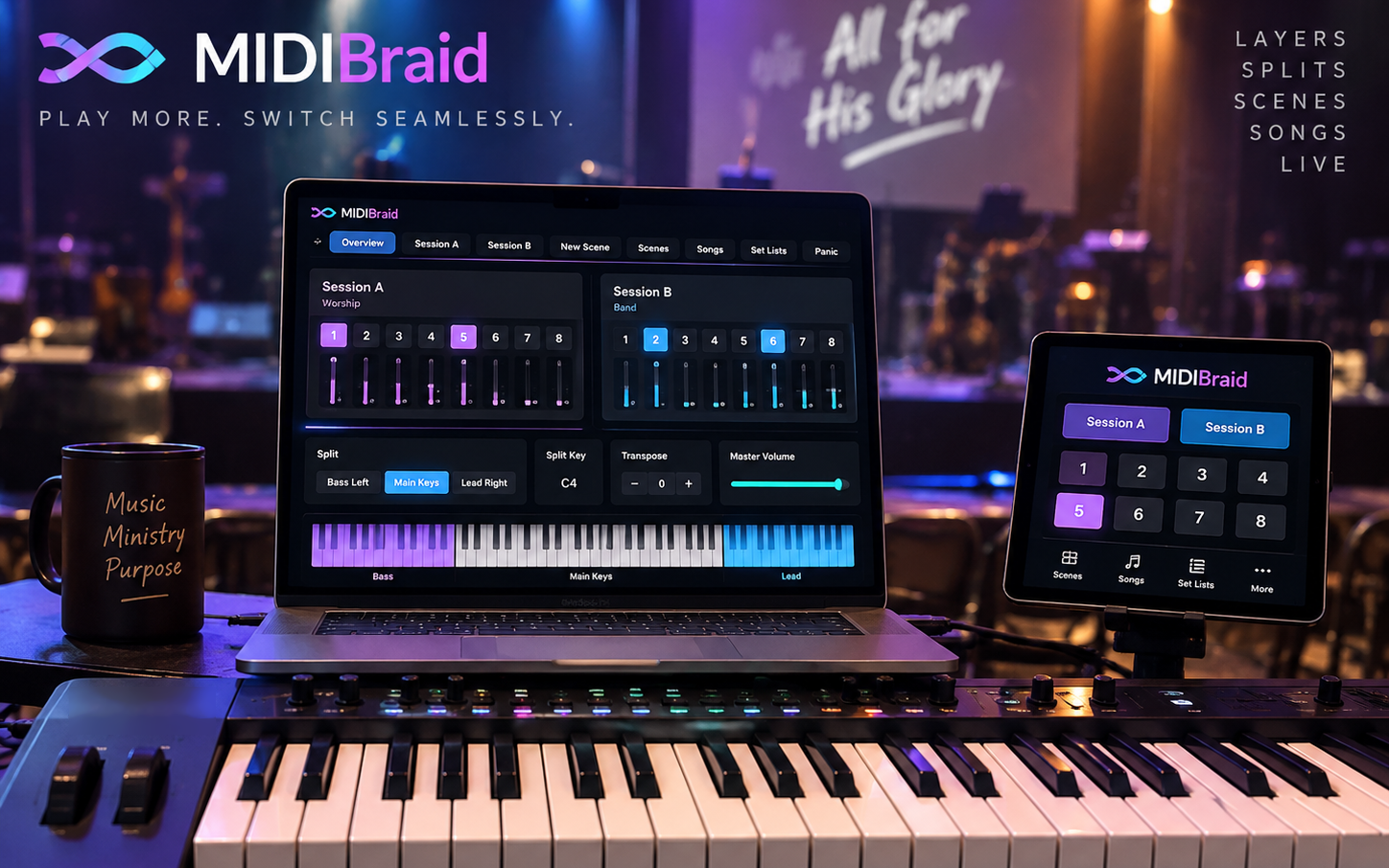
One keyboard. A complete live control surface.
MIDIBraid brings voices, splits, layers, Scenes, Songs and Set Lists into one performance-focused environment, with an optional iPad Remote for control away from the Mac.
Depth without turning the stage screen into a control-room maze.
MIDIBraid keeps the live surface familiar while providing deeper voice, Scene and Remote control behind it.
Two independent Sessions
Build separate performance domains for complementary sounds, ranges or instruments, and use them together when required.
Voice Sets and Palette
Each Session holds sixteen configured voices, presented through Bank 1, Bank 2 and a selectable Palette without displaying thirty-two controls at once.
Splits, layers and controllers
Shape keyboard ranges, transposition and controller behaviour while keeping the live routing path independent from ordinary interface work.
Scenes, Songs and Set Lists
Organise repeatable performance states and live navigation while preserving explicit, performer-controlled Recall behaviour.
Performance visibility
Theme-aware keyboards, floating Mac keyboard panels and a pinnable MIDI Inspector help you see what the system is doing without crowding the main screen.
MIDIBraid Remote
Use the iPad companion as a local control and presentation surface while the Mac remains authoritative for the musical state.
Prepare deeply. Perform simply.
The detailed work happens before the first note. During performance, the controls you need remain close at hand.
Build
Configure voices, MIDI channels, ranges, controllers and transposition across Sessions A and B.
Capture
Save musical states as Scenes, then organise them into Songs and Set Lists for the performance.
Play
Recall the setup you need, keep the keyboard under your hands and let MIDIBraid handle the routing.
Live control should feel immediate.
MIDIBraid is being validated around note integrity, sustain ownership, rapid playing, Scene transitions, Remote reconnection and the separation of MIDI timing from presentation timing.
No MIDIBraid account. No advertising. No app analytics SDK.
Musical and routing data are designed to remain local to your devices. The Mac and iPad companion communicate locally rather than through a MIDIBraid cloud service.
Website privacy
This static site includes no advertising pixels, marketing trackers or non-essential cookies. Cloudflare may process technical request information as the hosting and security provider.
Follow the project as it moves through testing.
Explore the current concept, development status and support information while MIDIBraid is prepared for release.